- Get Started
- Video Tutorials
- Knowledge Base
- FAQs & Troubleshooting
How to scrape products from marketplaces?
You can scrape product information by extension from Daraz, Amazon, and AliExpress, with more marketplaces to be supported in the future.
Step 1: Install the Extension
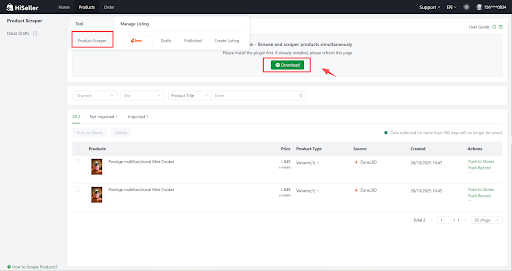
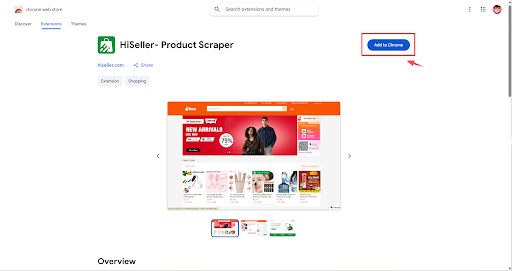
Step 2: Scrape products (Take Daraz as an example)
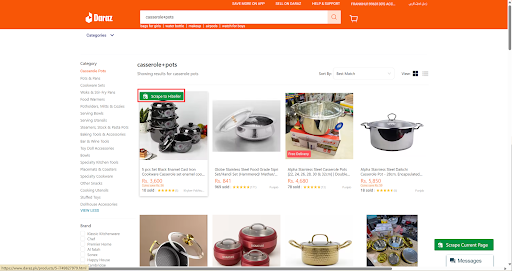
1) Scrape a Single Product
You can scrape product information from the Daraz homepage, store page, search results page, and product details page. Search for the product > Go to the Daraz Search Results Page > Hover your mouse on the product > Click on Scrape to HiSeller
2) Scrape Products In Bulk
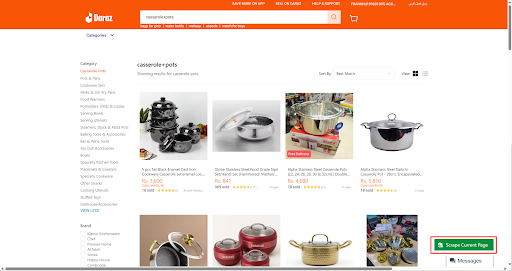
You can scrape product information in bulk from the platform category page, store category page, and search results page.
Go to the Daraz store product Page> Click on Scrape Current Page
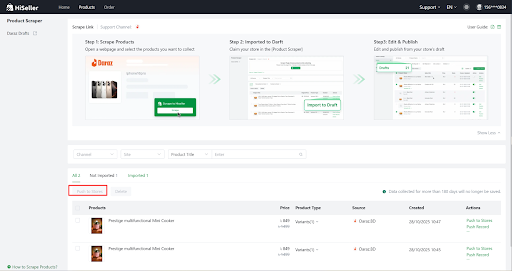
After scraping successfully, all products collected will be shown on the Scrape Products page, where you can edit and import the products to your stores.
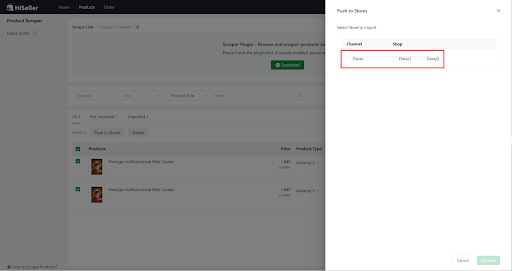
After clicking Push to Stores, the scraped products will go to the Draft page of the store.
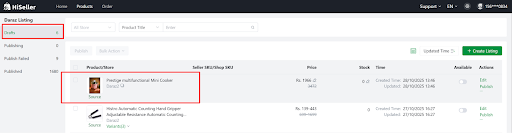
4. Click Edit to complete the relevant information, especially price, inventory, weight, size, etc. After verification, click Publish.
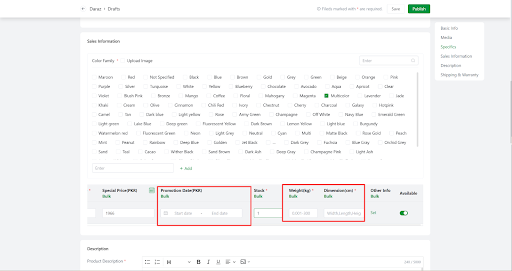
💡 Note: It is not recommended to publish the collected products directly. Please complete the product information and optimize it in a targeted manner to avoid the platform considering it a duplicate product and causing adverse consequences.