- Get Started
- Video Tutorials
- Knowledge Base
- FAQs & Troubleshooting
Product Creation Method 1: Manual Creation
Updated on 2026-06-24 08:36:56
For sellers with a smaller inventory catalog, manual creation is recommended.
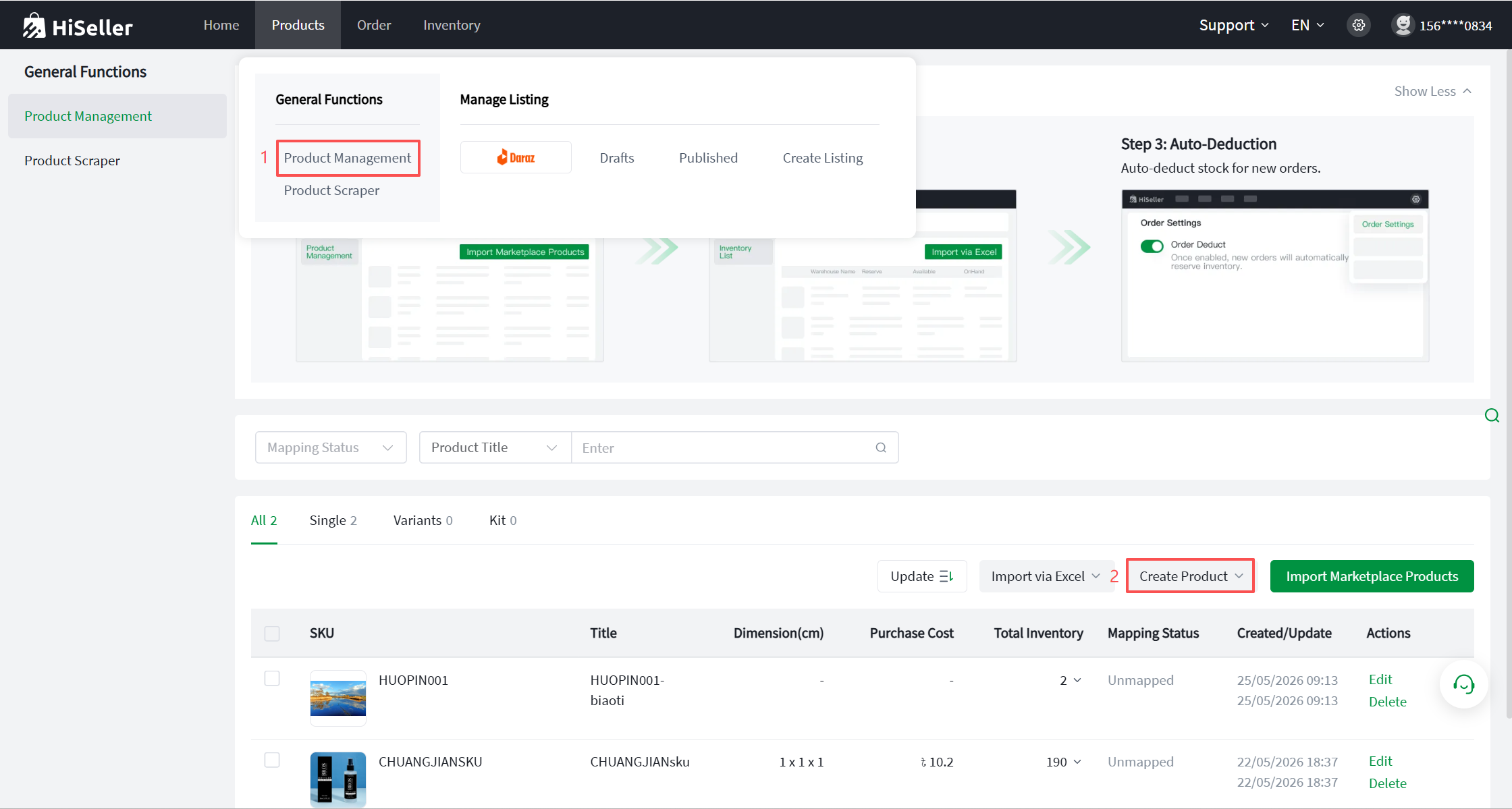
Step 1: Go to the Products >> Product Management >> Create Product (You can create Single/Variants/Kit. The following steps use Single creation as an example).
Step 2: Fill in the item information (Fields marked with an * are required, others are optional).
Basic Information:
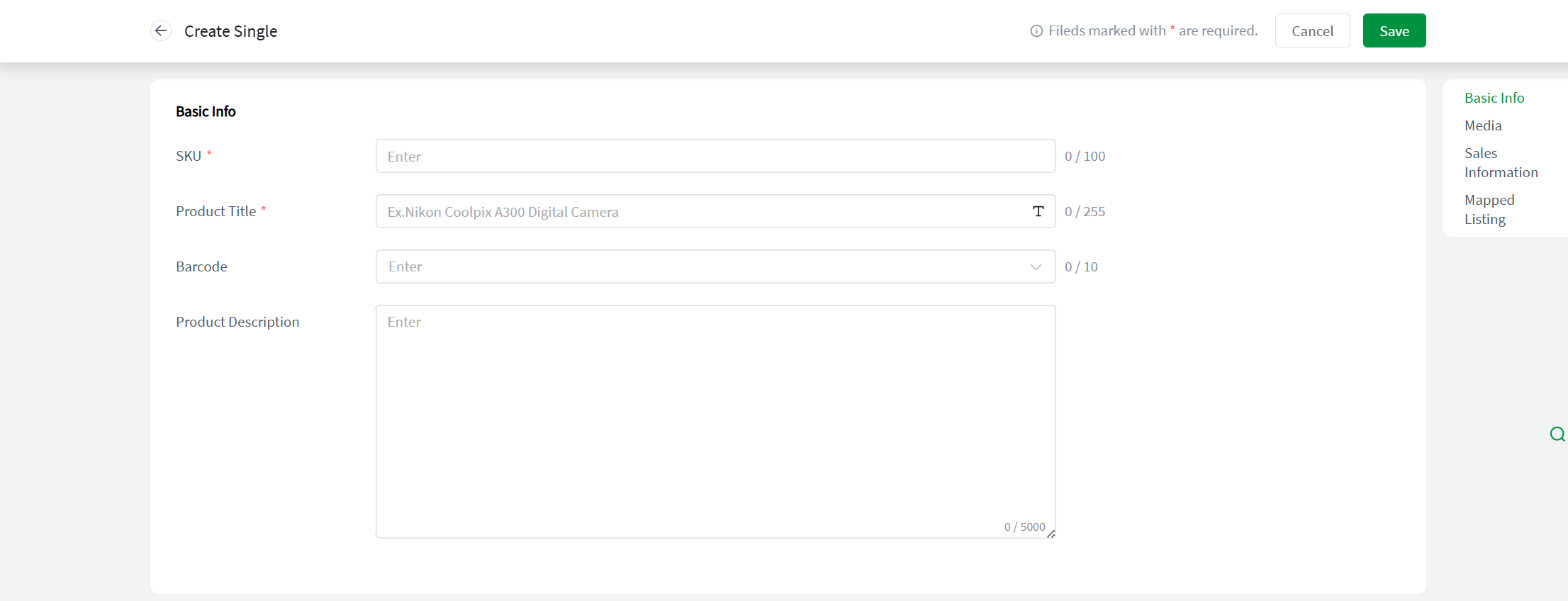
- SKU: Refers to the Item SKU/Warehouse SKU. It is customizable but cannot exceed 100 characters. Once created, it cannot be modified; to change it, you must delete the item and recreate it.
- Product Title: Cannot exceed 255 characters. Click to support quick capitalization of the first letter.
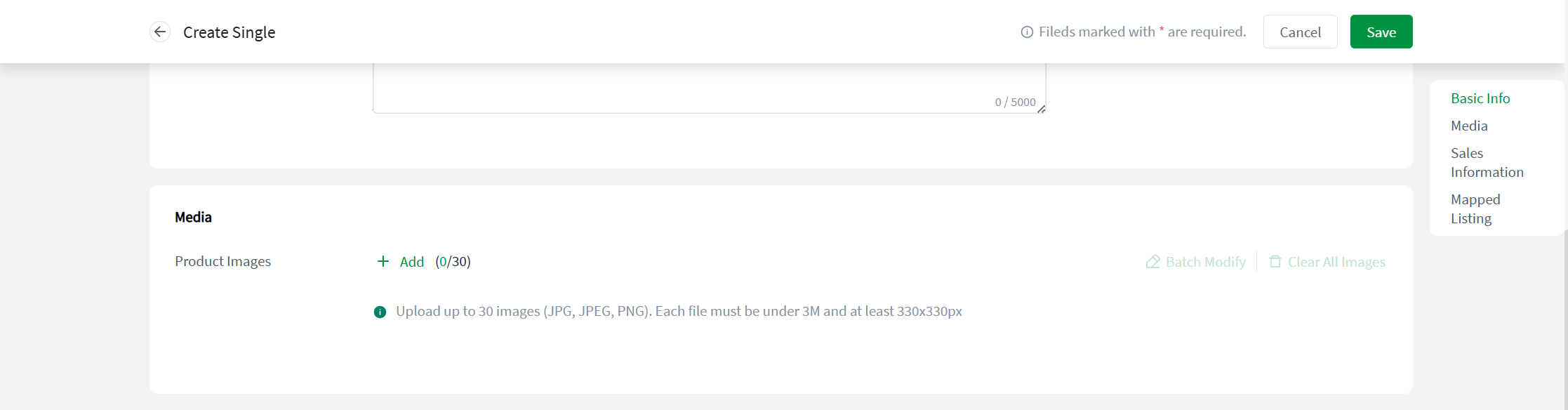
- Image: Supports manual uploads from local files, image URLs, or citing images from existing product listings.
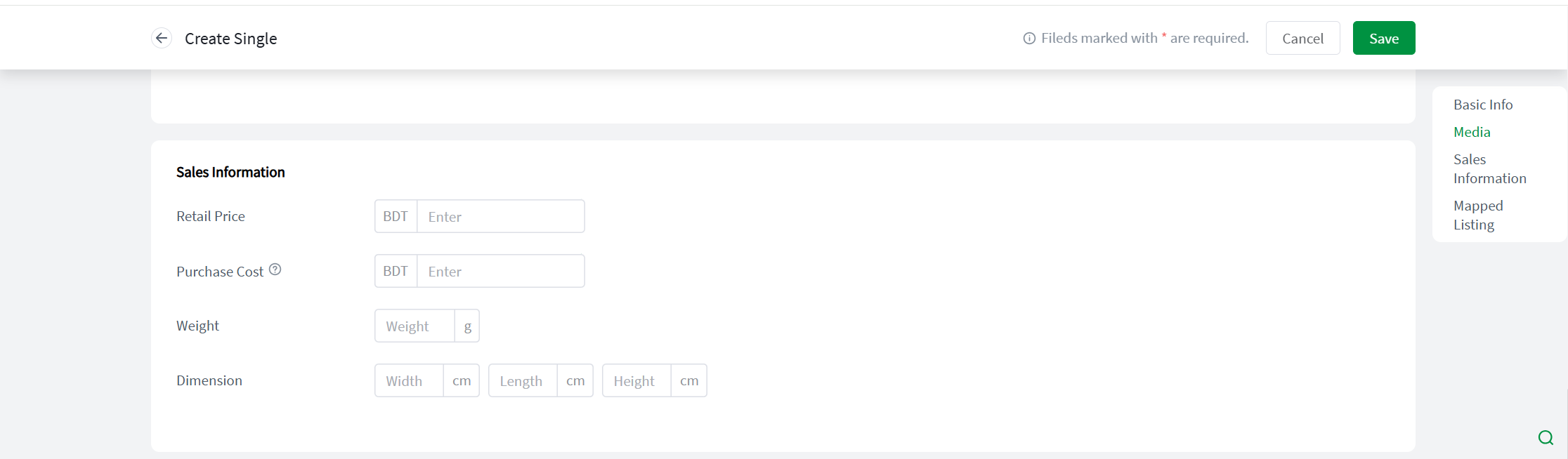
- Retail Price: Refers to the selling price of the item in the store (Used for record-keeping only and does not affect the actual price of the online product).
- Purchase Cost: Refers to the procurement price when purchasing the item.
- Package Weight: The weight of the packaged item, measured in grams (g).
- Package Dimensions: The dimensions of the packaged item, measured in centimeters (cm).
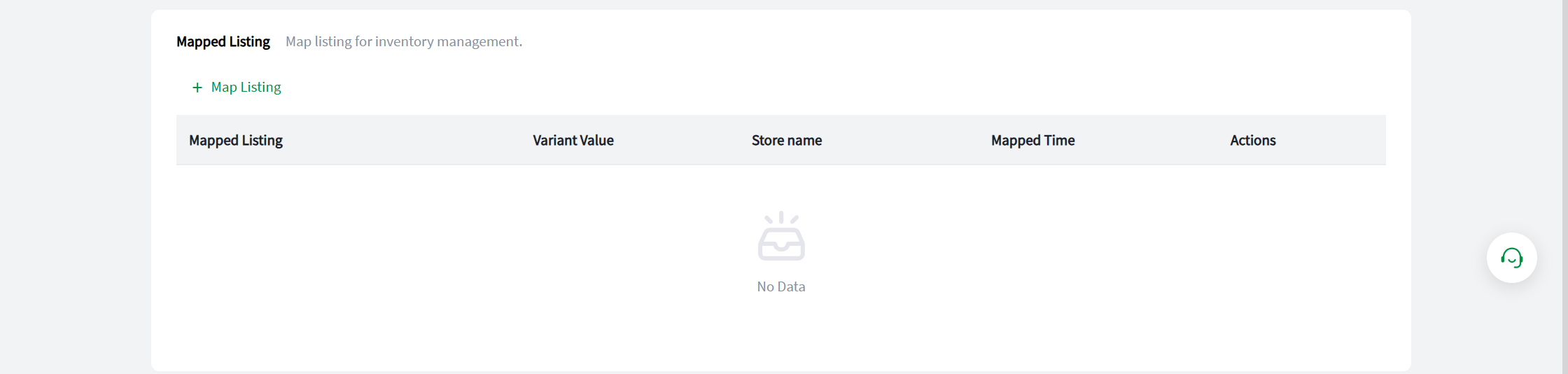
Step 3: Map Store SKU. Establishing the mapping relationship between the Store SKU and the Item SKU is essential to ensure the accurate execution of the inventory deduction feature.
Step 4: After completing the relevant information, click Save to finish. Once successfully created, the item will be displayed in the Item List.