Help Center
EN
Support
Blog
Log in
Sign up for free
Get Started
Introduction for Beginners
Ozon Specific Features
WB Specific Features
Video Tutorials
Store Authorization
Product Listing
FBS Order Processing
Knowledge Base
Product Listing
FBS Order Processing
Inventory
Analysis
System Settings
FAQs & Troubleshooting
FAQ
Error Solutions
Help Center
Knowledge Base
订单
Ozon订单拆分功能介绍
Updated on 2026-08-13 01:20:32
操作步骤:
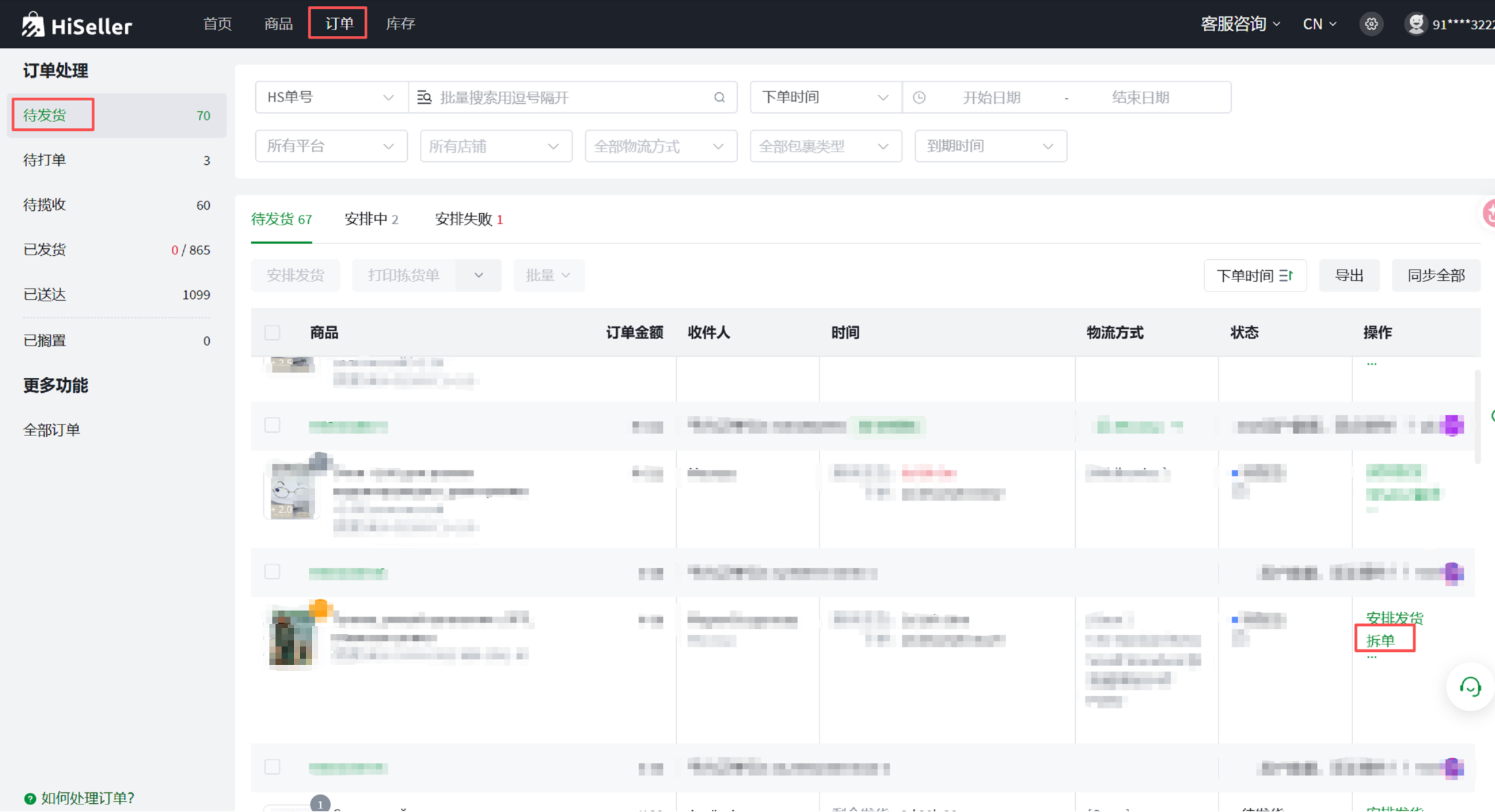
订单--待发货--拆单
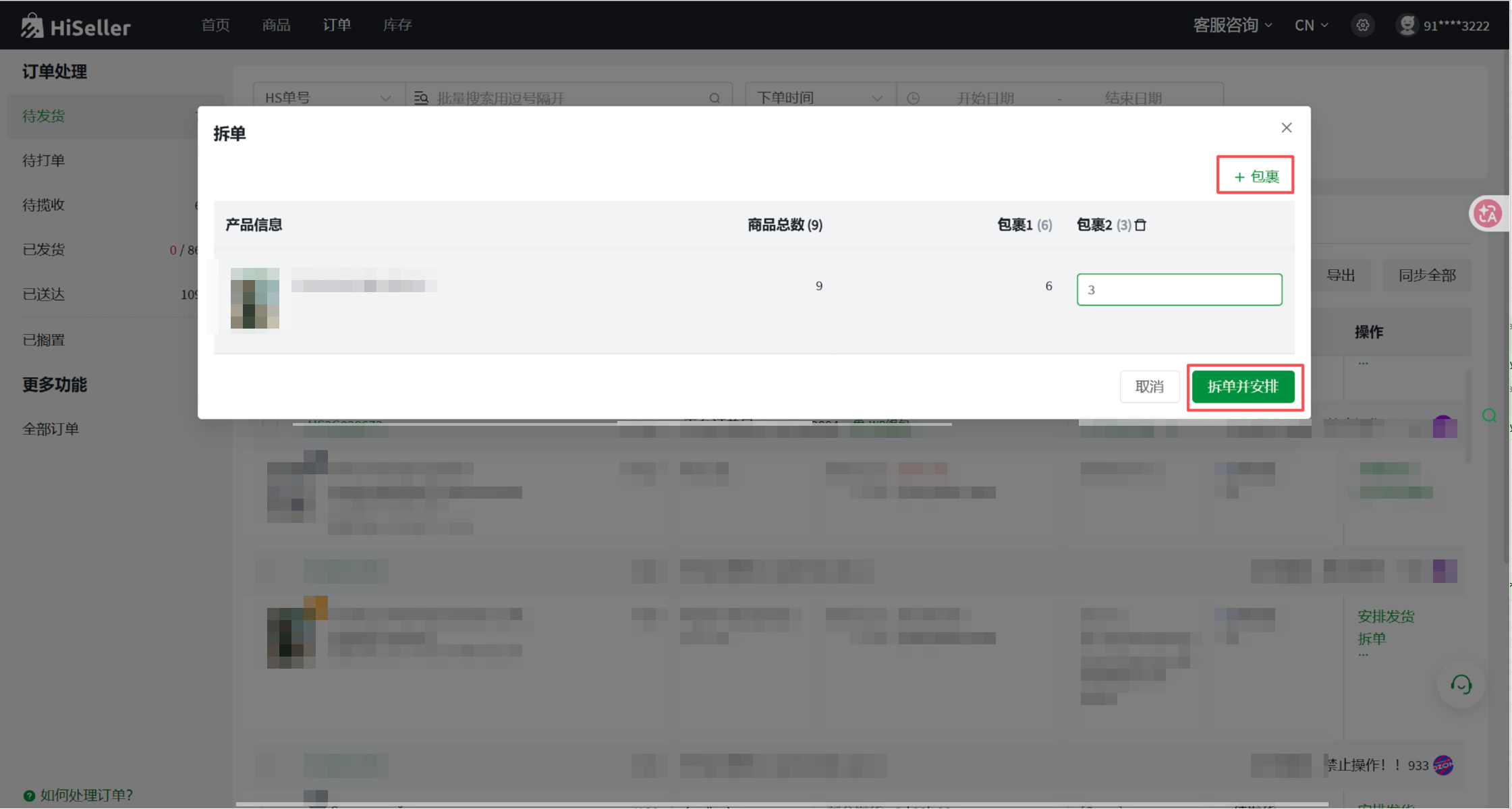
输入包裹数量,点进拆单并安排
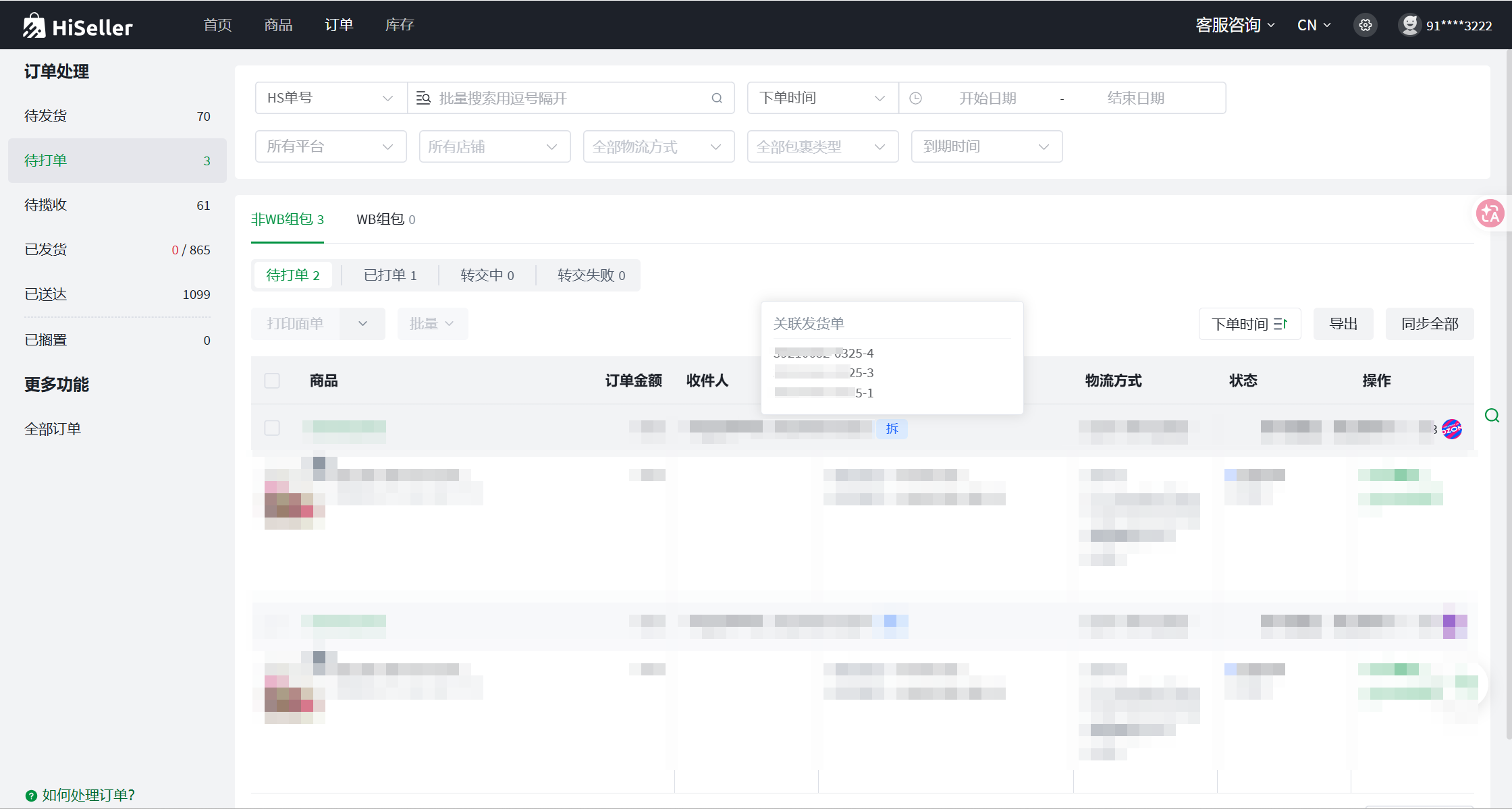
拆分后的订单正常流转,可以查看关联发货单
If the document can\'t answer your questions, contact us.
Previous
如何在 FBS 订单贴纸中加打 SKU(自定义面单设置)?