- Get Started
- Video Tutorials
- Knowledge Base
- FAQs & Troubleshooting
How to Use the Pricing and Profit Calculator?
HiSeller Pricing Calculator is a seller-centric tool crafted to help sellers accurately calculate pricing, profit margins, and ROI (Return on Investment). It is used to streamline your analysis for smarter business decisions.
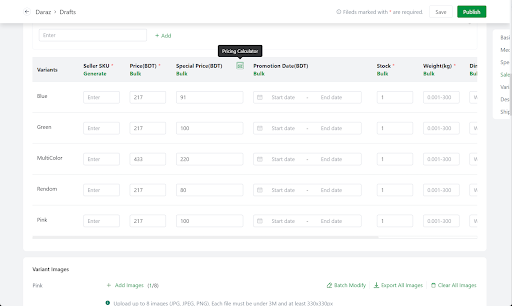
Feature entry: Products > Drafts, Publishing, Publish Failed, Published > Click into Pricing Calculator button
Steps to use HiSeller Pricing Calculator
Click into Pricing Calculator page
2. Choose Calculate Price or Calculate Profit
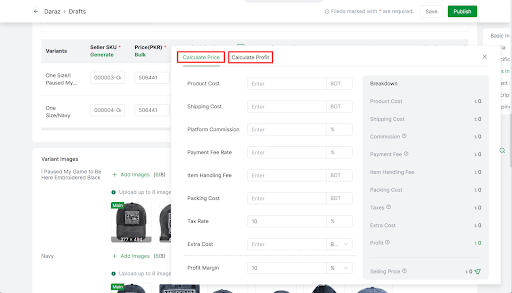
3. Input the required information
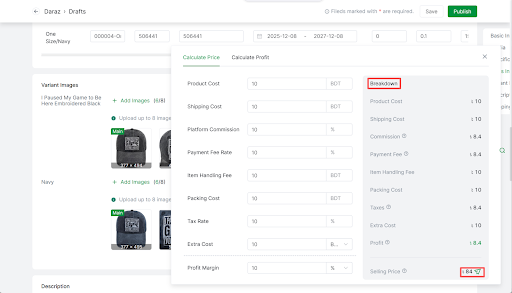
1) Select Calculate Price > Input the required information > Click the button in the bottom-right corner to apply the price to products
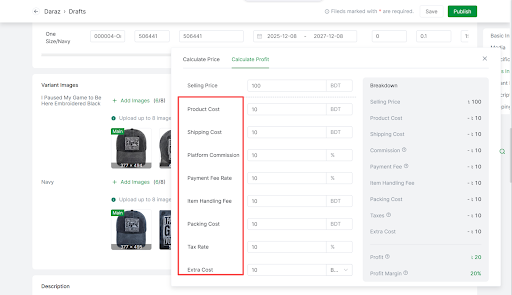
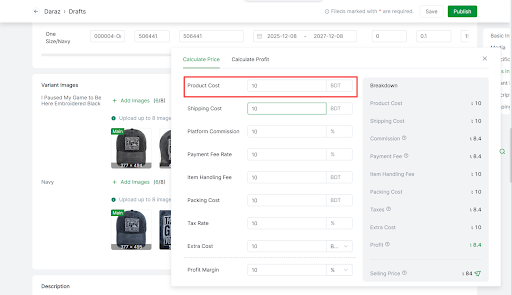
Product Cost: Input the cost at which you procured the product from your supplier.
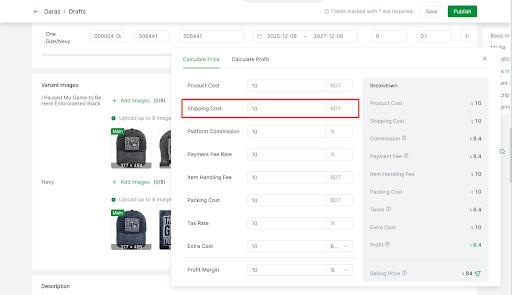
Shipping Cost: Enter the estimated shipping cost to deliver the product to the customer.
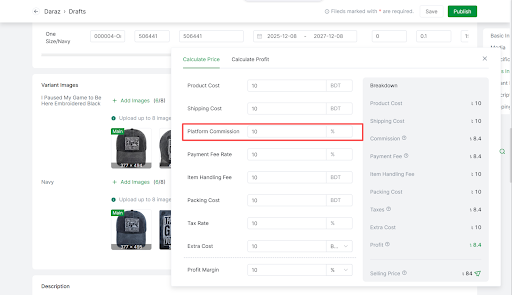
Platform Commission: Select a commission rate based on your product category—refer to the commission structure on the link for
reference.
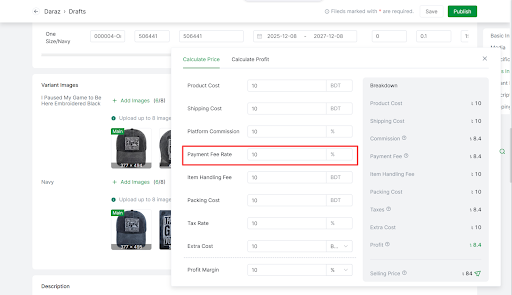
Payment Fee Rate: It typically includes processing costs for transactions.
Item Handling Fee: The fee charged covers the cost of handling and processing items for customer delivery.
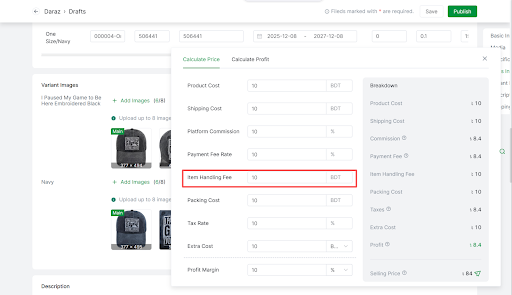
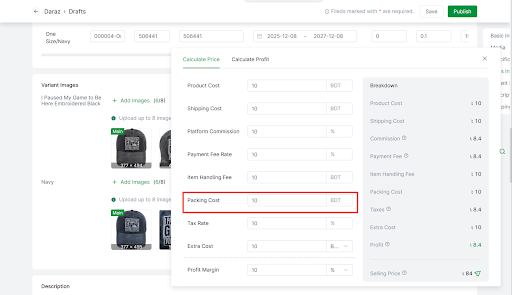
Packing Cost: Specify costs incurred for packaging the product.
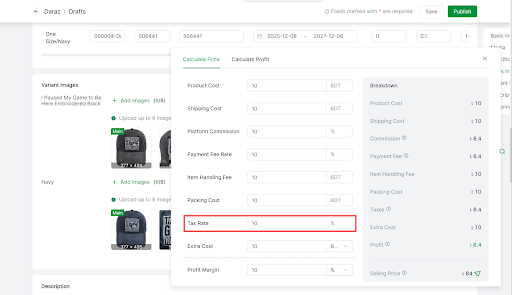
Tax Rate: Enter the VAT percentage for your product. In most cases, this is a standard rate mandated by the tax regulations in your region.
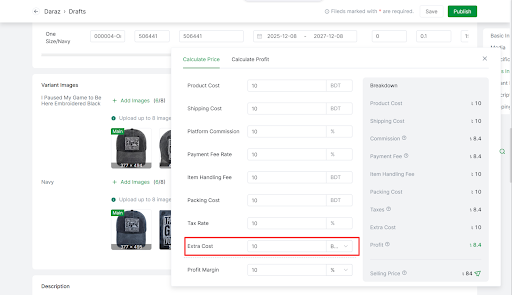
Extra Cost: Add any additional costs, such as advertising and promotional expenses.
Profit Margin: Enter your expected profit margin.
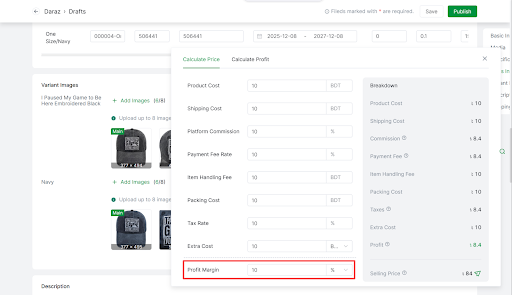
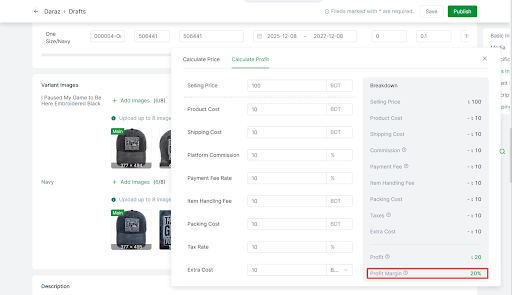
Breakdown: You can view the specific amount corresponding to each fee in the Breakdown section.
After entering the relevant costs to automatically calculate the selling price based on the expected profit margin, you can view the results.
- Select Calculate Profit > Input the required information
Selling Price: Input the Selling Price of your product. This is the price you plan to list your product for on Daraz.
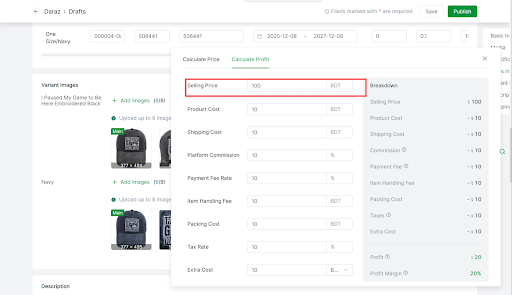
After entering the selling price and costs to automatically calculate the profit and profit margin at the selling price, you can view the results.