- Get Started
- Video Tutorials
- Knowledge Base
- FAQs & Troubleshooting
How to use AI to generate product titles and descriptions?
Updated on 2026-03-25 13:49:06
HiSeller’s AI Title & Description Generator creates product titles and descriptions based on your item details, aligned with platform search guidelines and local user search preferences.
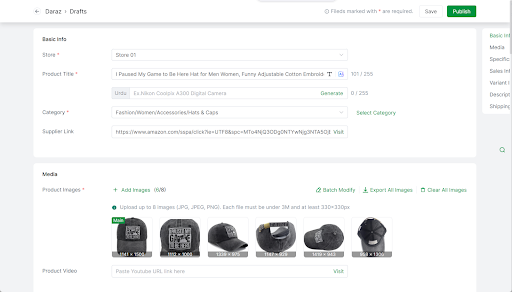
Step 1: Go to the Edit page
Step 2:
1) Product Title generator
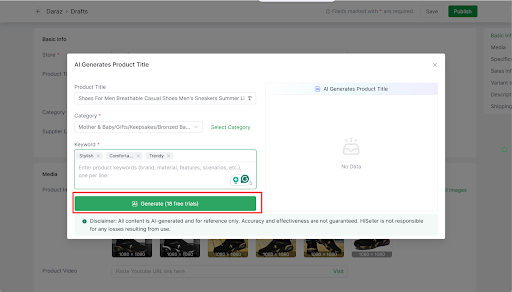
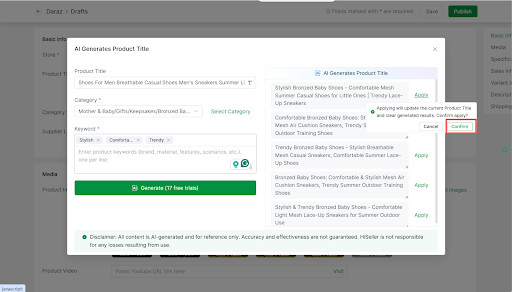
Click the AI button >> Enter the keyword >> Select Generate (20 free trials per day)>> Apply the AI-generated product title to your product title
Click the Edit button corresponding to the product to enter the product details editing page.
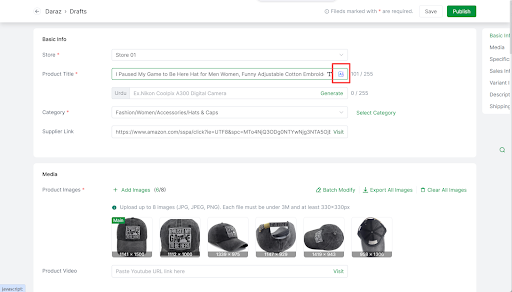
Enter Core Keywords: fill in the core attribute keywords of the product
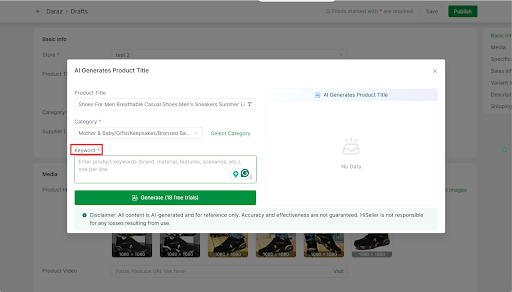
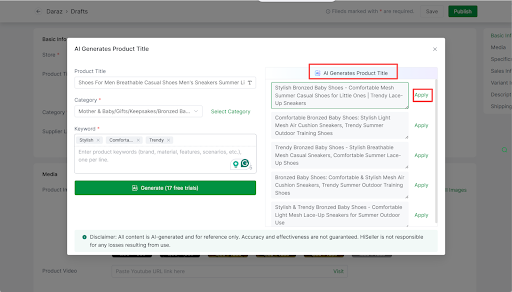
After entering the keywords, click the Generate button. The system will automatically generate multiple titles that comply with platform search rules.
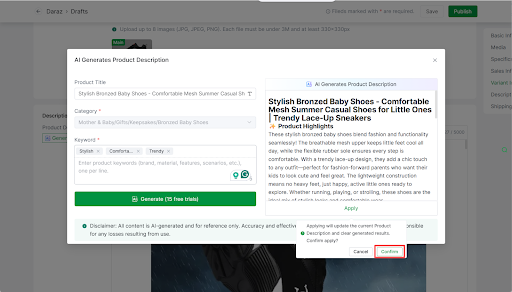
Then click Apply >> Confirm
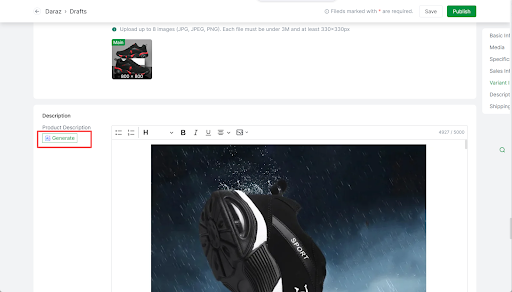
2) Product Description generator
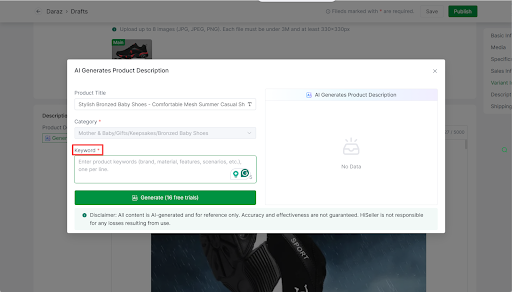
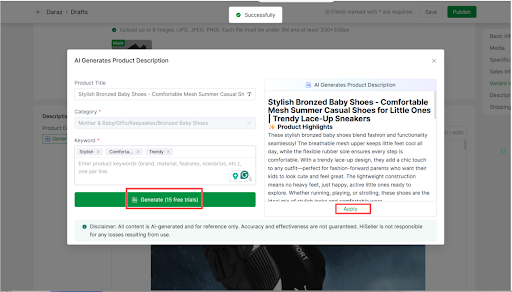
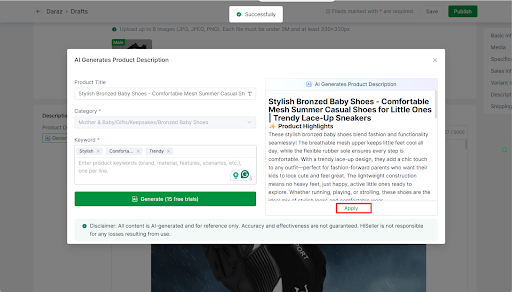
Click the AI Generate button >> Enter the keyword >> Select Generate (20 free trials per day)>> Apply the AI-generated product description to your product description