- Начало работы
- Видеоуроки
- База знаний
- FAQ и решение ошибок
How to Copy Products to Another Store?
Обновлено: 2026-03-25 05:49:45
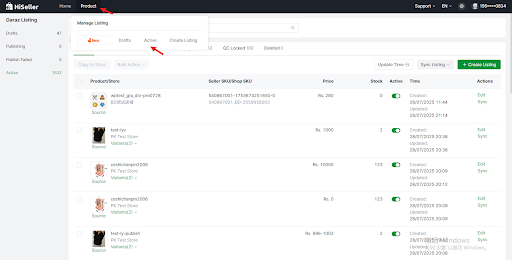
1. Go to HiSeller Product> Active
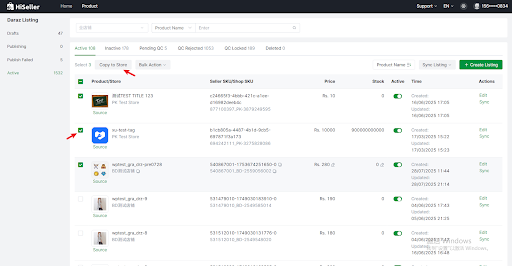
2. Select the listing you want to copy, and click Copy to Store
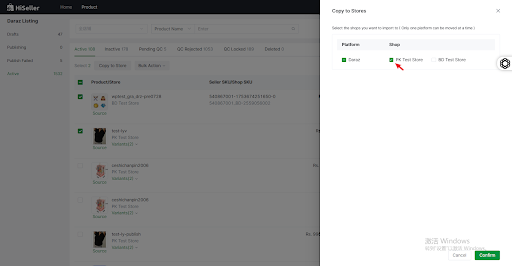
3. Select the destination store(s),Click Comfirm
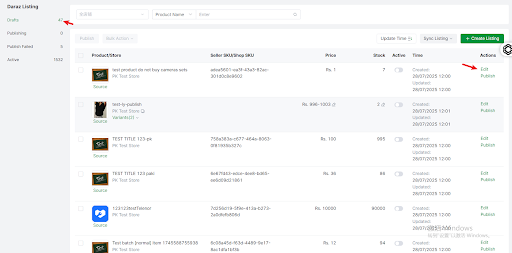
4. The product will then be copied to Drafts. Edit it and click Publish, and it will be published to the destination store