- Get Started
- Video Tutorials
- Knowledge Base
- FAQs & Troubleshooting
How to Process Orders in 3 Steps?
Updated on 2026-03-25 05:50:18
Step 1: Create Label
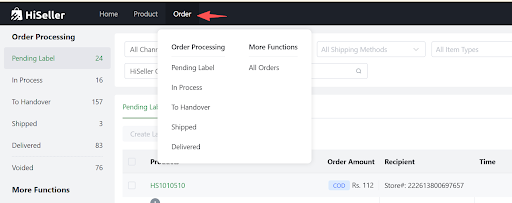
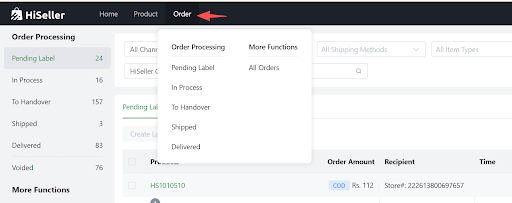
Go to HiSeller Order > Pending Label. Select your orders and click the [Create Label] button.
Step 2: Print Label
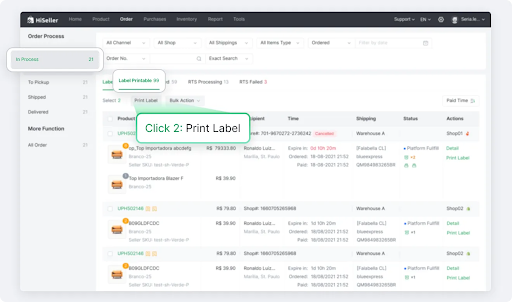
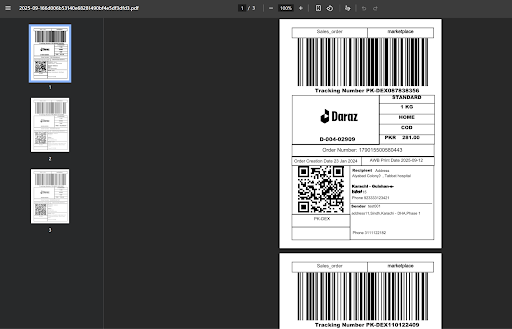
In the In Process - Label Printable tab, select the relevant orders and click [Print Label].
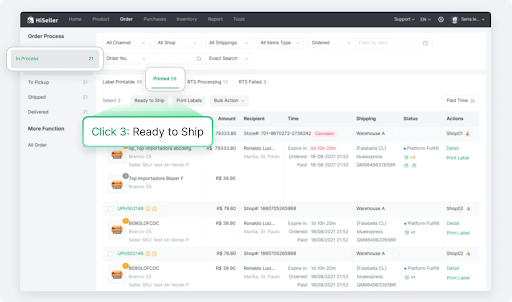
Step 3: Ready to Ship
In the In Process - Printed tab, select orders and click [Ready to Ship].
What Happens Next
Your manual steps are complete. Once the carrier picks up the package, the system will automatically update the status to Shipped and then Delivered based on tracking information.