Product Management: Creating Combo Items (Kit)
I. Definition
When multiple single items are bundled together for sale as one combo product, and order fulfillment requires deducting the inventory of multiple single items simultaneously, you can use the Combo Item feature.
Scenario 1: A product listing sells a bundle of one shirt and one pair of pants. We need to create the single items first (Shirt, Pants), and then add a Combo Item (1 Shirt + 1 Pair of Pants).
Scenario 2: A product listing sells a wholesale pack of five shirts. We need to create the single item first (Shirt), and then add a Combo Item (Shirt * 5).
II. Notes
Before adding a combo item, please navigate to the [Items] module >> Item List to create the single items first.
Modifying the SKU of a successfully created combo item is not supported.
Combo items cannot be dispatched directly from the warehouse; order fulfillment will deduct the inventory of the constituent single items.
Manually modifying the basic information of a combo item (e.g., purchase cost) is not supported. To make modifications, please go to the [Items] module >> Item List to update the basic information of the individual items.
III. Operating Steps to Create a Combo Item
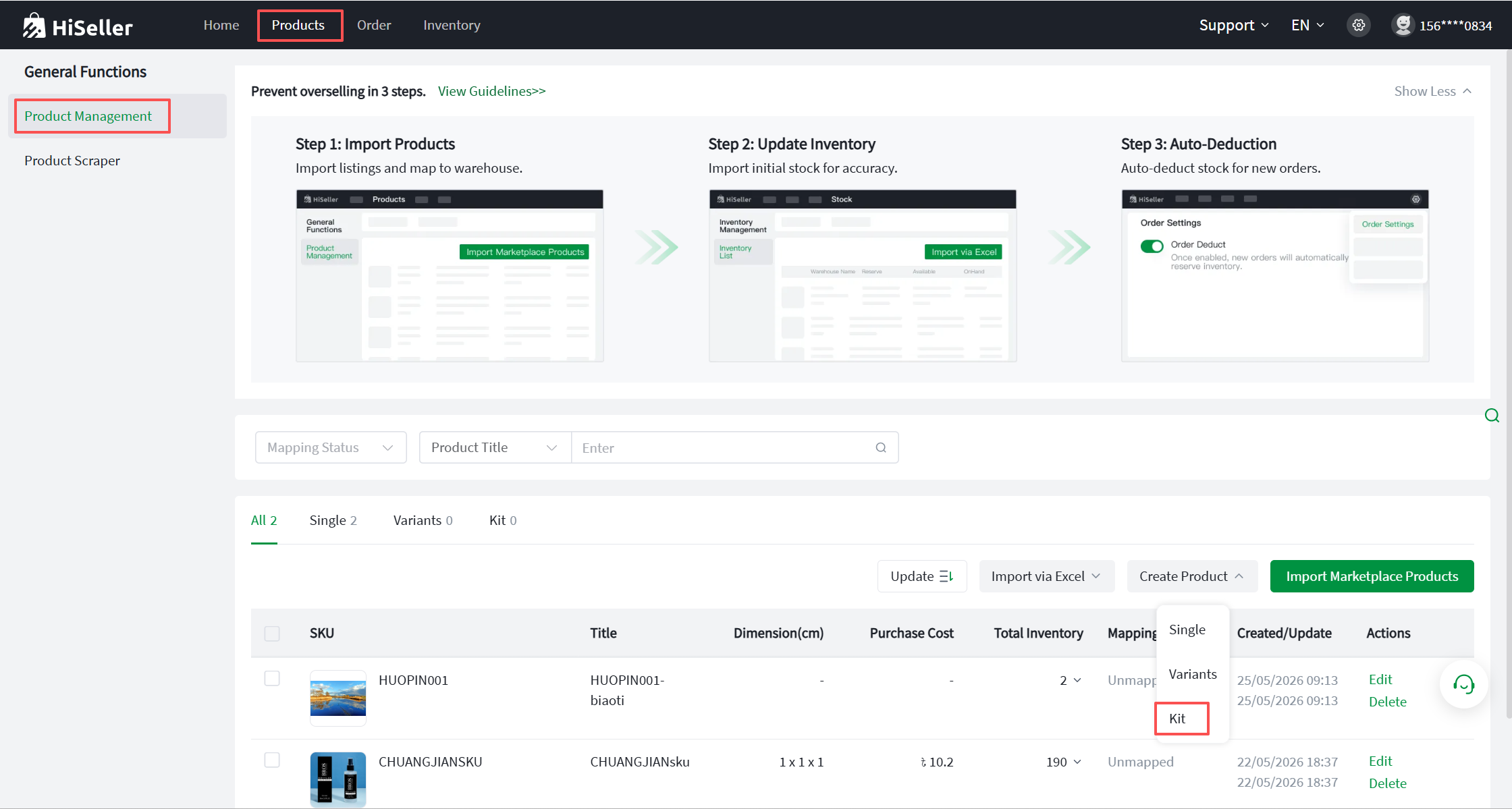
Step 1: Go to Products>> Product List >> Create Product >> Kit.
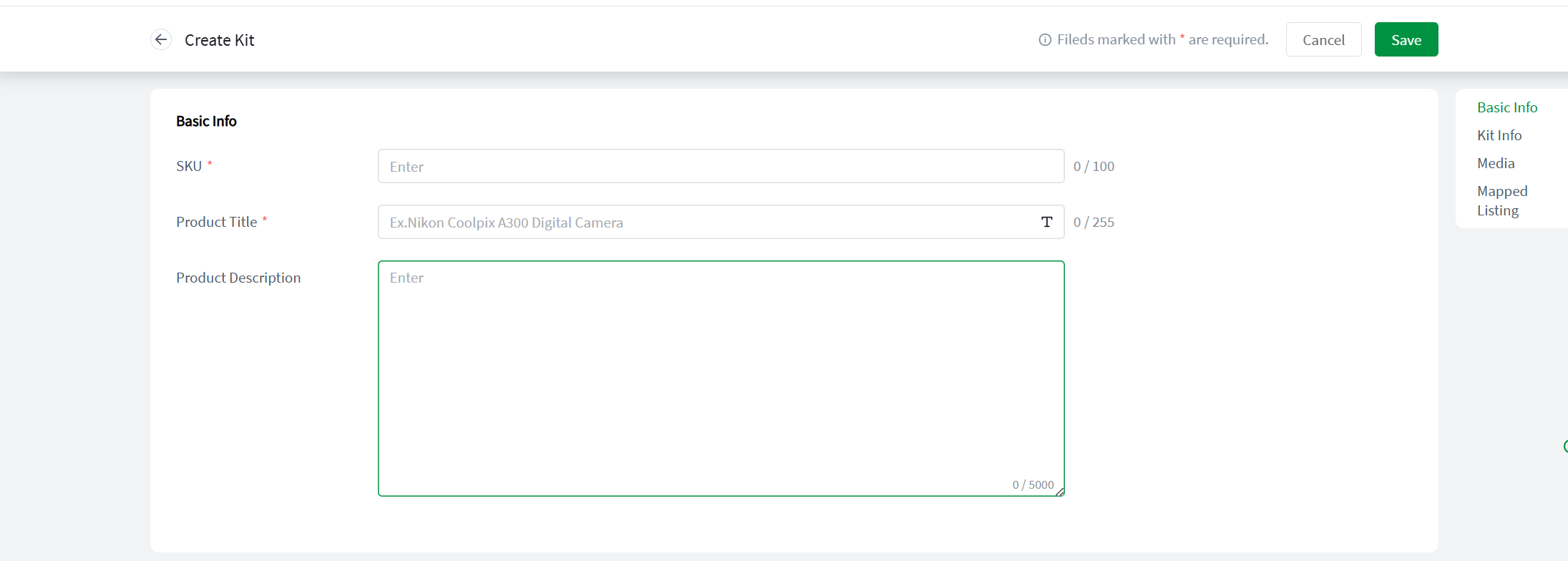
Step 2: Fill in the basic item information.
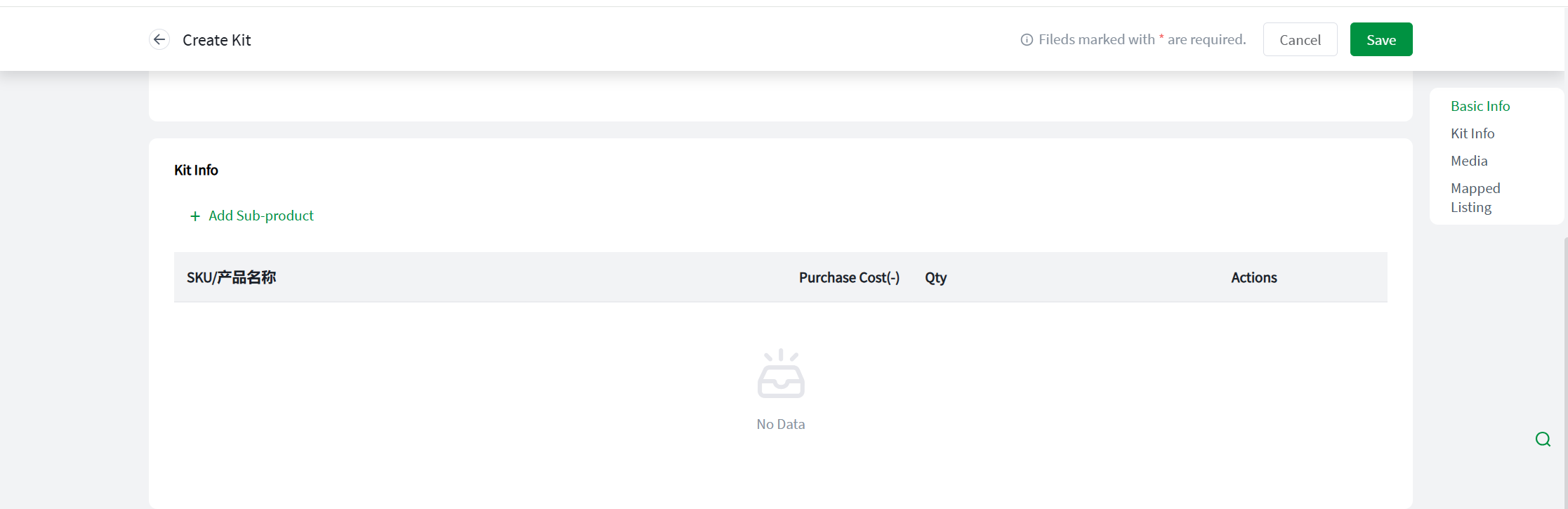
Step 3: Complete the combo information >> Add child Item SKUs >> Enter the quantity for each Item SKU.
Example: For a bundled sale of a shirt and a pair of pants, the Item SKU quantity should be set as Shirt * 1, Pants * 1. For a wholesale pack of five shirts, the Item SKU quantity should be set as Shirt * 5.
Step 4: Add media files.

Step 5: Map Store SKU. To facilitate accurate inventory deduction, you must map the store SKU (select the online listing corresponding to this combo item in your store). After mapping is complete, the system will automatically assign your default warehouse (manual changes to the warehouse are supported).
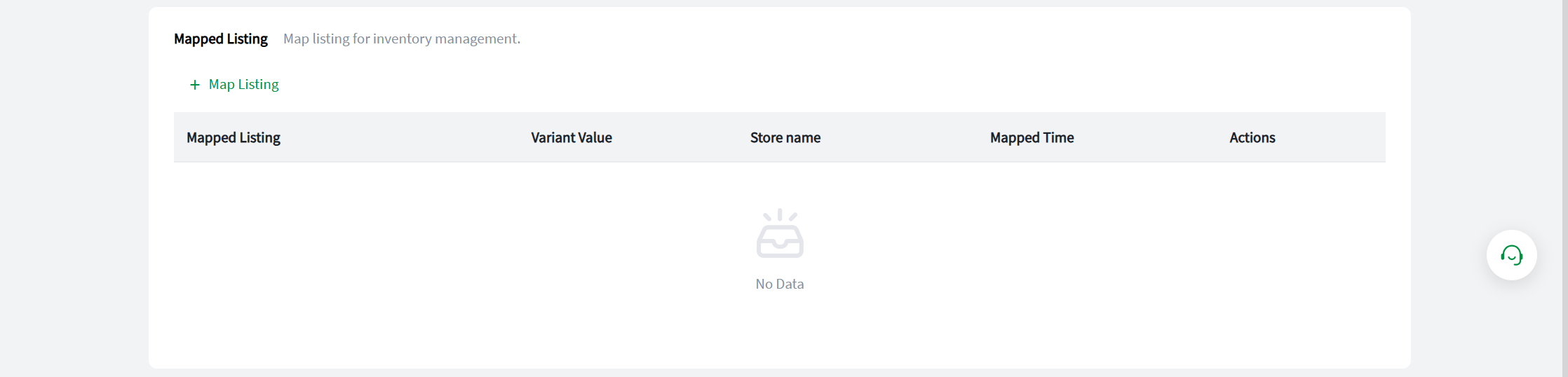
Step 6: Confirm all information is correct, and click Save in the upper right corner to complete the creation.